
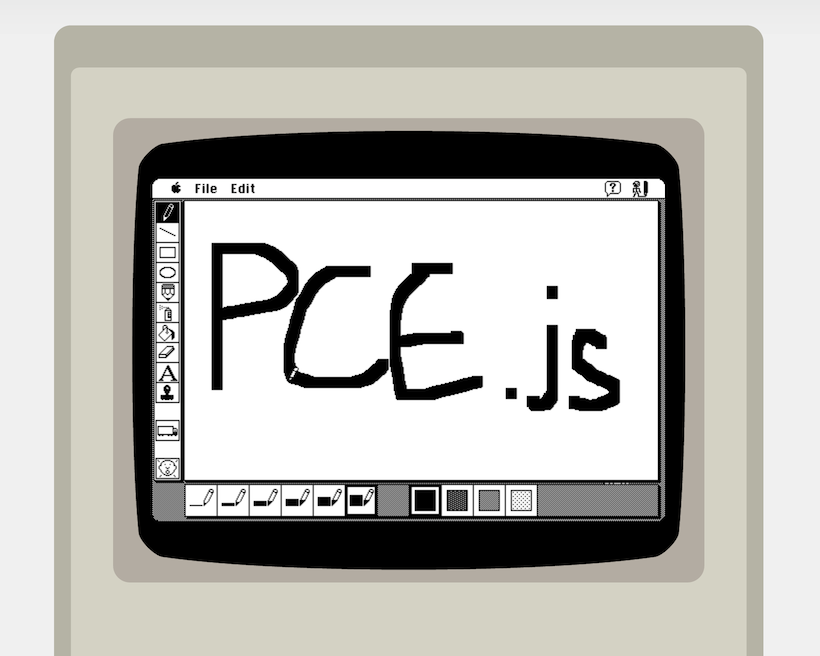
PCE.js runs classic computers in the browser. It's a port of Hampa Hug's excellent PCE emulator, put together by James Friend.
PCE.js currently emulates Mac Plus, IBM PC/XT and Atari ST functionally in recent versions of Chrome and Firefox.
More info:
The emulators are based on PCE 20250420-cc0c583c (April 2025), with these changes for the browser:
- a main loop driven by
requestAnimationFrame(*_run_emscripten()insrc/arch/*/cmd*.c, usingpce_em_*()insrc/lib/sysdep.c), which emulates the real time that passed since the previous browser frame instead of sleeping (sleeping busy waits in the browser). While the page is hidden it runs from a timer instead, because browsers pause animation frames. pce_usleep()doesn't sleep, and the realtime sync functions (*_realtime_sync(),pc_clock_delay()) return early- browser defaults in
src/arch/*/main.c(config filepce-config.cfg, debug logging, VGA for the IBM PC) - the Mac Plus mouse is set to the absolute host mouse position
- the Atari ST uses the
sdlsound driver for the PSG by default - key codes of some browser keys in
src/drivers/video/sdl.c - no terminal (termios) handling in
src/lib/sysdep.c - Web Audio autoplay handling in
libjs/library_sdl.js - fixed callback signatures in
src/devices/serport.c(see below)
Functions that are called through a function pointer must have exactly the signature of the pointer, otherwise the call fails in WebAssembly with "function signature mismatch" (native builds tolerate this).
This branch merges upstream PCE (git://git.hampa.ch/pce.git). To update to
a newer PCE version, merge its master branch and resolve conflicts in the
files with these changes:
git remote add upstream git://git.hampa.ch/pce.git
git fetch upstream
git merge upstream/master
See this CodePen example.
I recommend installing the native version of PCE on your computer to create your own disk images. Alternatively, you could use Mini vMac.
PCE.js is available from npm as a set of browserify compatible node packages, which also include UMD bundles.
There is one for each emulator build:
- pcejs-macplus - Mac Plus
- pcejs-ibmpc - IBM PC/XT
- pcejs-atarist - Atari ST
See each of the above links for install and usage instructions
Note: I recommend instead just using the npm packages listed above, unless you want to hack on the C source of the emulators themselves (which is not necessary if you just want to get them running on a page).
Make sure you've installed node.js
These instructions assume you're working with my fork of PCE on the
pcejs branch. Presumably that's where you're reading this right now.
Run npm install in this directory (the source root). This should install the
required node.js tools to build the commonjs modules and run the examples.
Install the Emscripten SDK.
Install and activate version 1.38.48 of the SDK
cd ../path/to/emsdk/
./emsdk install 1.38.48
./emsdk activate 1.38.48
source ./emsdk_env.sh
Check that running emcc -v successfully returns current Emscripten version.
Note: emscripten 1.38.48 runs its scripts with python, so on systems that
only have python3 you need a python -> python3 symlink in your PATH.
./configure also runs small test programs with node; on node 18 and newer
these fail ("Failed to parse URL") unless node's fetch is disabled, e.g. by
setting NODE_JS = ['/usr/bin/node', '--no-experimental-fetch'] in the
emsdk's .emscripten config file. Newer versions of node don't have that
option; instead preload a script that contains delete globalThis.fetch;:
NODE_JS = ['/usr/bin/node', '--require', '/path/to/nofetch.js'].
Detailed installation instructions are on the Emscripten SDK page.
In the same terminal, return to the pcejs repository. Run ./pcejs_build env once which will create a pcejs_build_conf.sh file if it
doesn't already exist.
Most of the build process involves running the ./pcejs_build bash script in the
root of the repo. Commands should be run like ./pcejs_build [command] or pcejs_build [command] [arg]
Run ./pcejs_build build [target] to build the emulator, where [target] is macplus,
ibmpc or atarist. This will output a pce-[target].js file to dist/.
After the output file for the target you're interested in has been built, you can:
- run the examples in the
example/directory with./pcejs_build example [target]orexample/run_example.sh [target] - build the npm packages in the
commonjs/[target]/directories by runningnpm run prepublishin the respective directory.
Commands you might be interested in:
- build [target]: Configure, build and compile emulator to JS. [target] is either
one of
macplus,ibmpc,ataristornative. Specifiying an emulator arch builds the in-browser emulator JS file for that architecture.nativebuilds all PCE executables normally. If you don't specify a [target] then all JS targets will be built. - rebuild: Build last again (eg. after modifying C source)
- clean: Clean source tree
- [nothing]: Build all emulator JS targets and (commonjs modules for each)
Other commands (used internally by build scripts)
- env: Print build environment variables
- configure: Configure emulator build
- make: Compile emulator source to LLVM bitcode (used by 'build')
- remake: Recompile only changed files of emulator source to LLVM bitcode
- afterbuild: Convert LLVM bitcode to JS
- module: Build commonjs module (used by commonjs module prepublish scripts)
npm install, then:
npm run test:unit: unit tests for the JavaScript that is wrapped around the emscripten output (commonjs/script-directory.js,prelude.js,epilogue.js). These don't need a build.npm run test:setup: download the system files that the browser tests boot (ROMs, disk images and configs from the*-system.zipfiles) intotest/.cache/, and install the browser that Playwright uses. Run this once.npm run test:browser: boot each emulator in headless Chromium and check that it reaches its desktop or prompt (compared with the screenshots intest/browser/__screenshots__/), that it emulates real time both while the page is visible and while it is hidden, and that it logs no errors. This uses the UMD bundles incommonjs/pcejs-*/, so build the emulators and run./umd.shin eachcommonjs/pcejs-*directory first.npm test: the unit and browser tests.
If a change is supposed to alter what an emulator shows after booting, update
the screenshots with npm run test:browser -- --update-snapshots and check
them before committing.